

MS Introduces the Copilot Key, but Is It Already Outdated?
On January 4, 2024, MS launched the “year of AI-powered Windows PCs” by introducing a dedicated Copilot key on keyboards, and the plan has since been implemented. Now, nearly two years later, all newer PCs, including mini PCs, feature this Copilot key. However, MS seems to have created a new challenge for itself, as the Copilot key is already beginning to feel outdated.
MS Consolidates Copilot and MS 365 Copilot
MS has officially announced the merging of Copilot and MS 365 Copilot into a single application. This consolidation simplifies the user experience, benefiting all stakeholders, whether they are pro-AI or anti-AI. Users now have just one app to manage—either to use or remove—eliminating the need to switch between multiple applications.
A New Icon for Copilot
Amidst the announcement, MS also introduced a new icon for Copilot. The company is quietly rolling out this updated icon, starting with the new app, and aims to include it in future PC shipments as well.
The updated icon was first spotted in the Android app, and it has quickly become the default after less than two weeks of beta testing. While updating icons to reflect product changes is common in the tech industry, the situation with Copilot is unique. The key is a physical feature present on millions of PCs shipped in the past two years and will continue to be on devices for years to come.
Challenges with Hardware Keys
This isn’t the first time a hardware key has become outdated. MS faced a similar issue with the Start menu icon, which has undergone five major design changes since its introduction in 1995. However, the Copilot key has already seen three visual updates—from its initial association with Bing to a colorful standalone icon, and now a more modern iteration.
MS has historically celebrated such updates as reflections of modernization, as seen with Windows 8 and Windows 11. It is likely the company will adopt a similar stance regarding the Copilot key.
Future Rollout Timeline
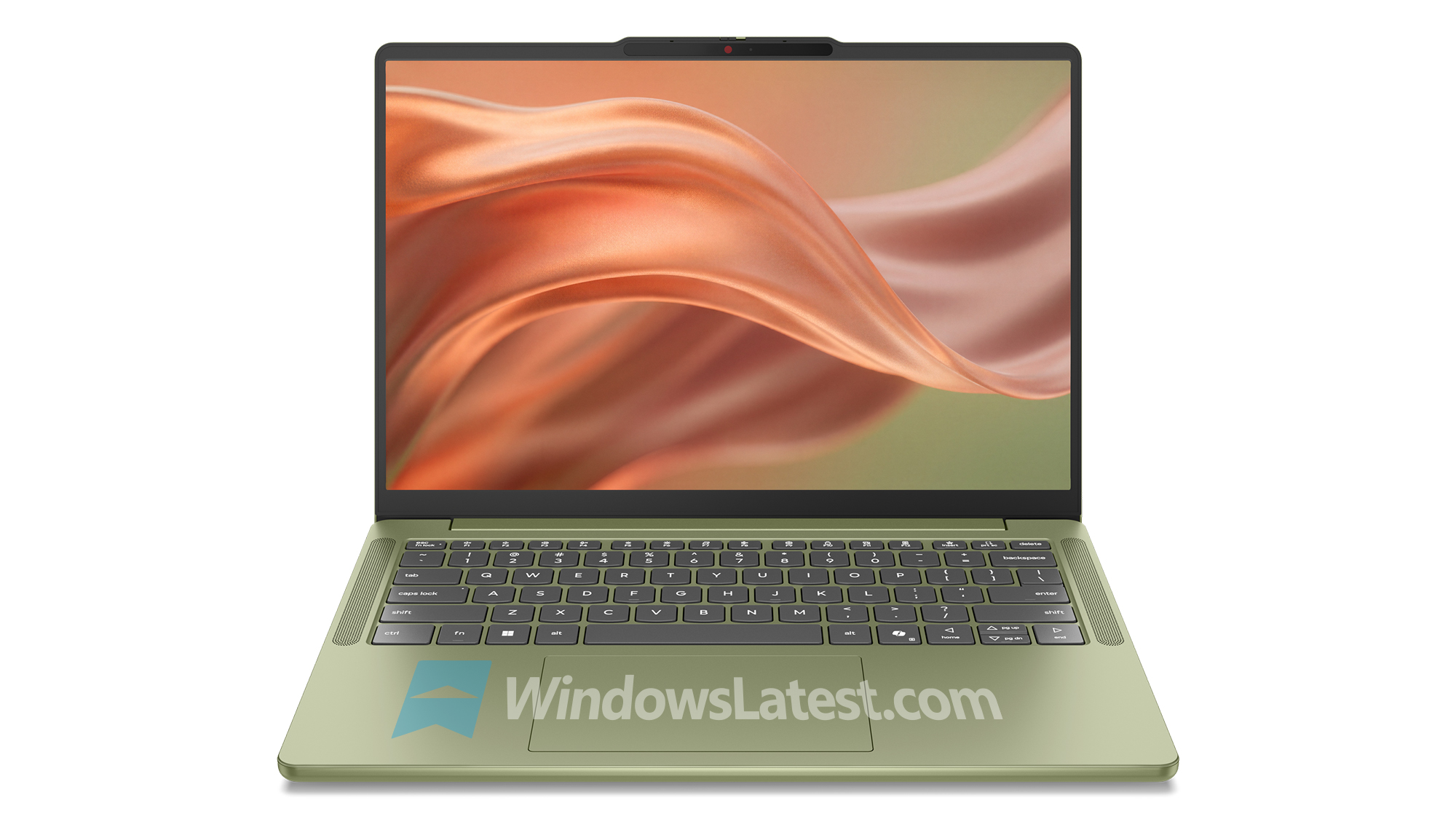
When will the new Copilot icon start appearing on new PCs? MS hasn’t provided an official timeline yet. Based on current information, it may take several months or even years. OEMs are expected to launch new Copilot+ PCs at IFA 2026, but renders suggest they won’t feature the new icon. Most PCs will likely adopt the updated icon by 2027 or 2028.
Remapping or Disabling the Copilot Key on Windows 11 PCs
Despite its commitment to the Copilot key, MS has acknowledged that it has caused challenges for some users, particularly those who rely on the Right Ctrl key or Context Menu key for assistive technologies like screen readers.
According to a support document, MS admitted that starting in 2024, some devices began replacing these keys with the Copilot key. This issue affects all newer PCs, even those below the requirements for Copilot+ PCs, such as devices with only 8GB of RAM.
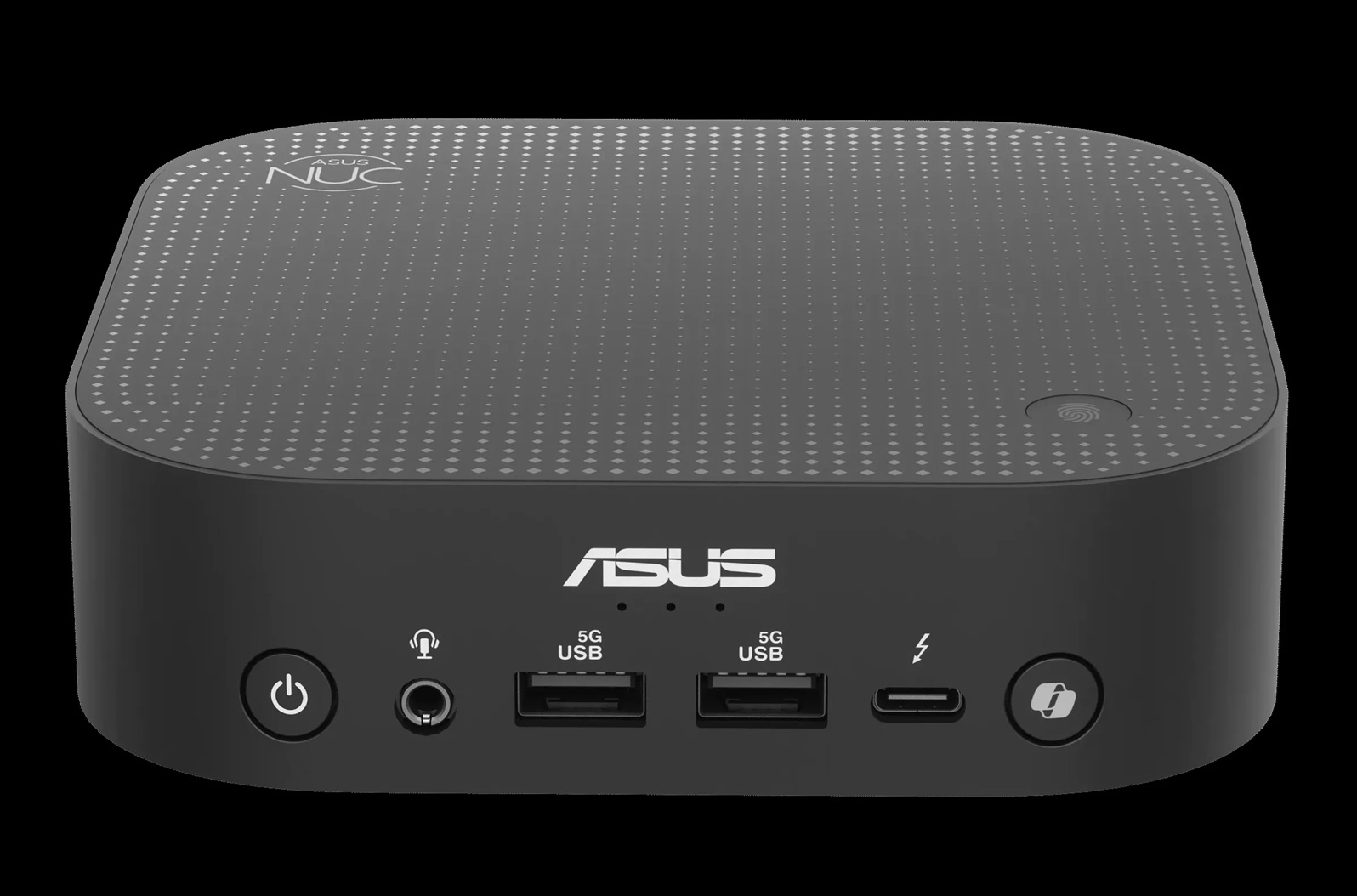
The Copilot key has even made its way onto mini PCs, leaving users with limited options to avoid it. For example, new hardware from ASUS prominently features the Copilot key:
Upcoming Customization Options
For users dissatisfied with the Copilot key, relief is on the horizon. A Windows 11 update scheduled for later this year will introduce a toggle allowing users to remap the Copilot key to function as the Right Ctrl key, Context Menu key, or even a third-party app like ChatGPT or Claude.
Additionally, newer preview builds hint at an option to disable the Copilot key entirely, preventing accidental activation of the feature.
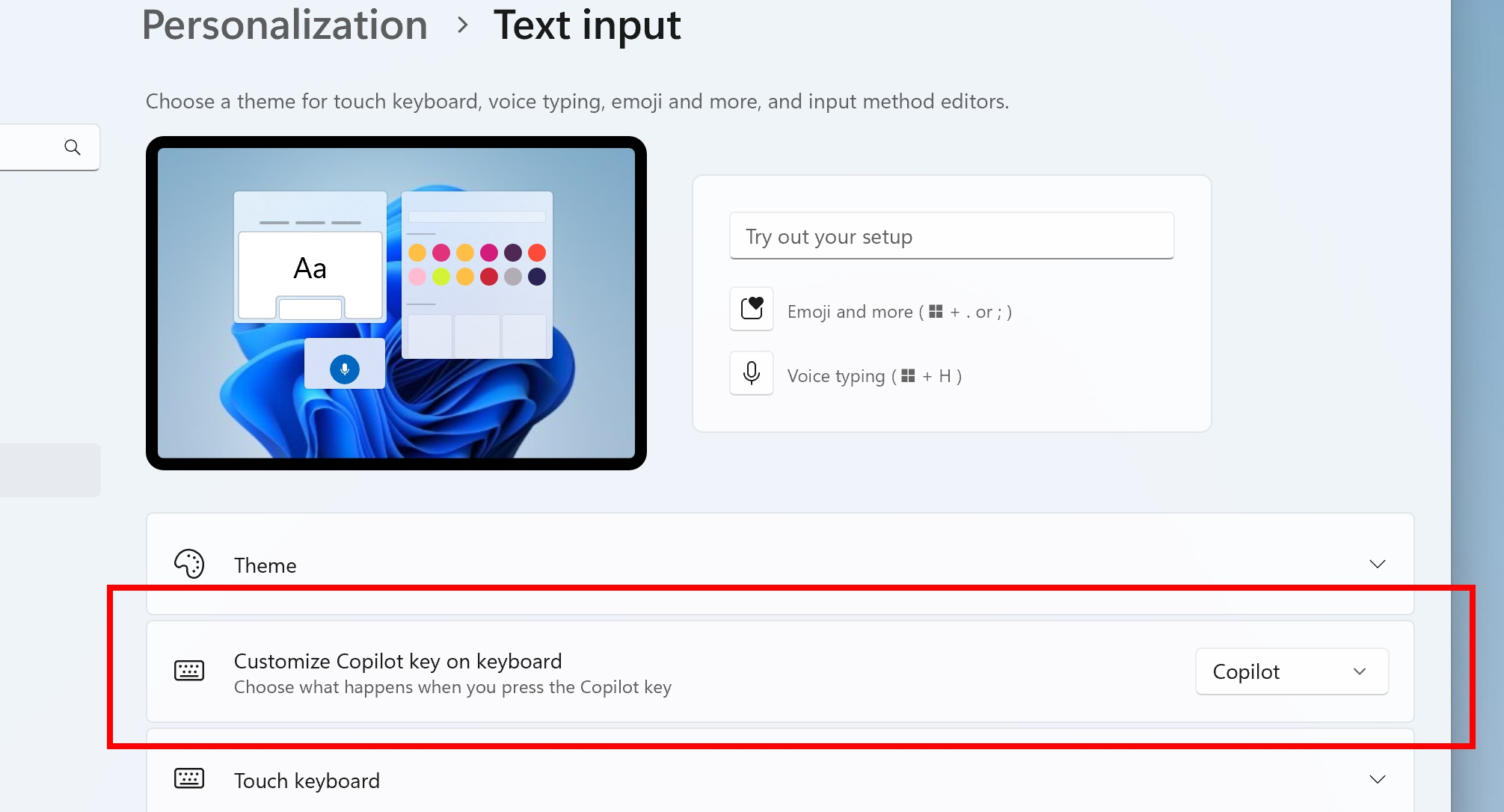
MS confirmed in its documentation that the remapping toggle will be available under Settings > Bluetooth & Devices > Keyboard. However, there’s no sign of this feature in current production builds, leaving users to wait for the promised update.
Looking Ahead
While the Copilot key is here to stay, MS is taking steps to address user concerns. These updates aim to strike a balance between innovation and user convenience, ensuring that Windows 11 remains adaptable to diverse user needs.
Windows Latest depends on readers like you. Make us your preferred source on Google Discover and Google Search to help our independent reporting reach a broader audience.
